Know exactly what your lawn needs this month.
Enter your ZIP, county or parish, and grass. Sward builds your lawn plan and shows the sources behind its advice.
$64.99 a year (about $5.42 a month) or $7.99 a month. New subscribers get a 7-day free trial. Cancel anytime in your Apple account settings.
See how Sward works.
Five real screens from the app, for a Bermuda lawn in Wilmington, North Carolina.
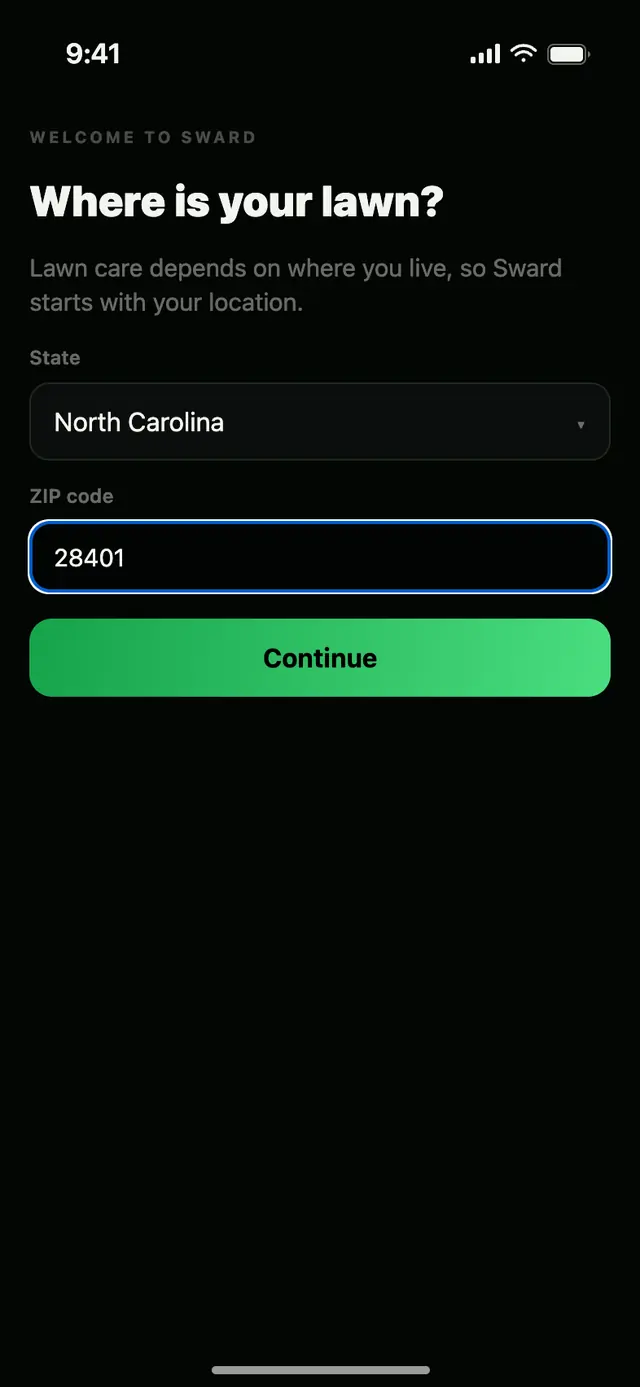
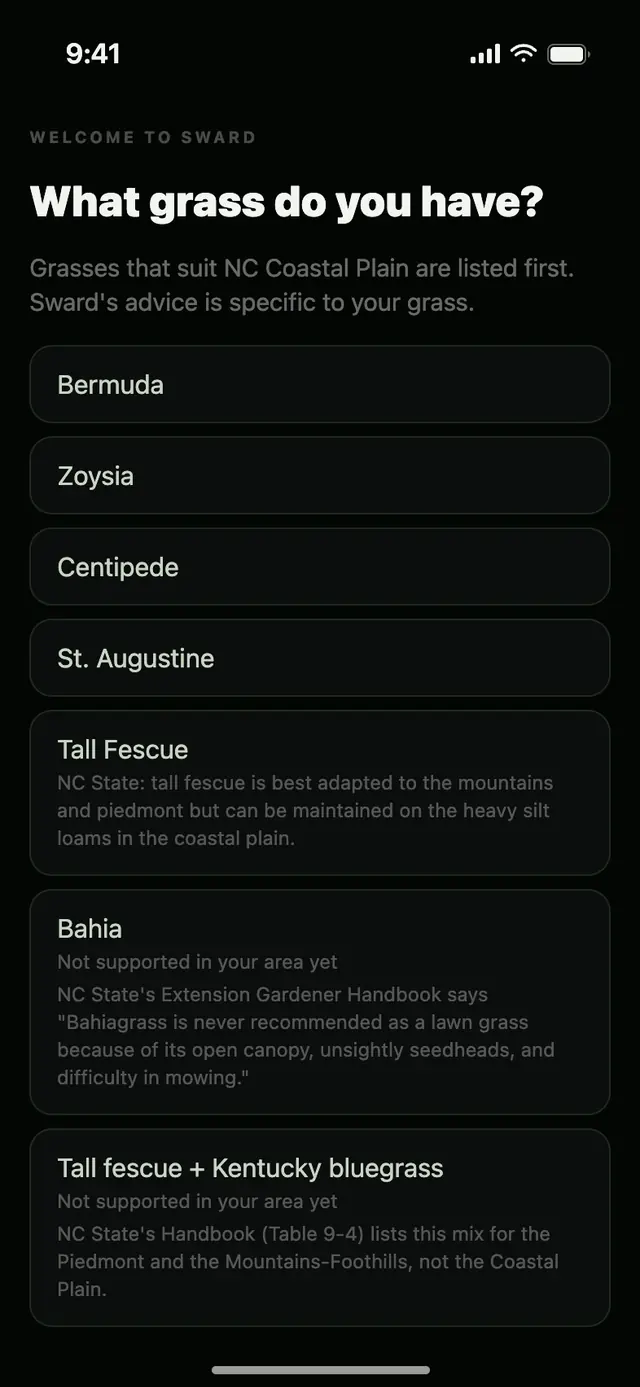
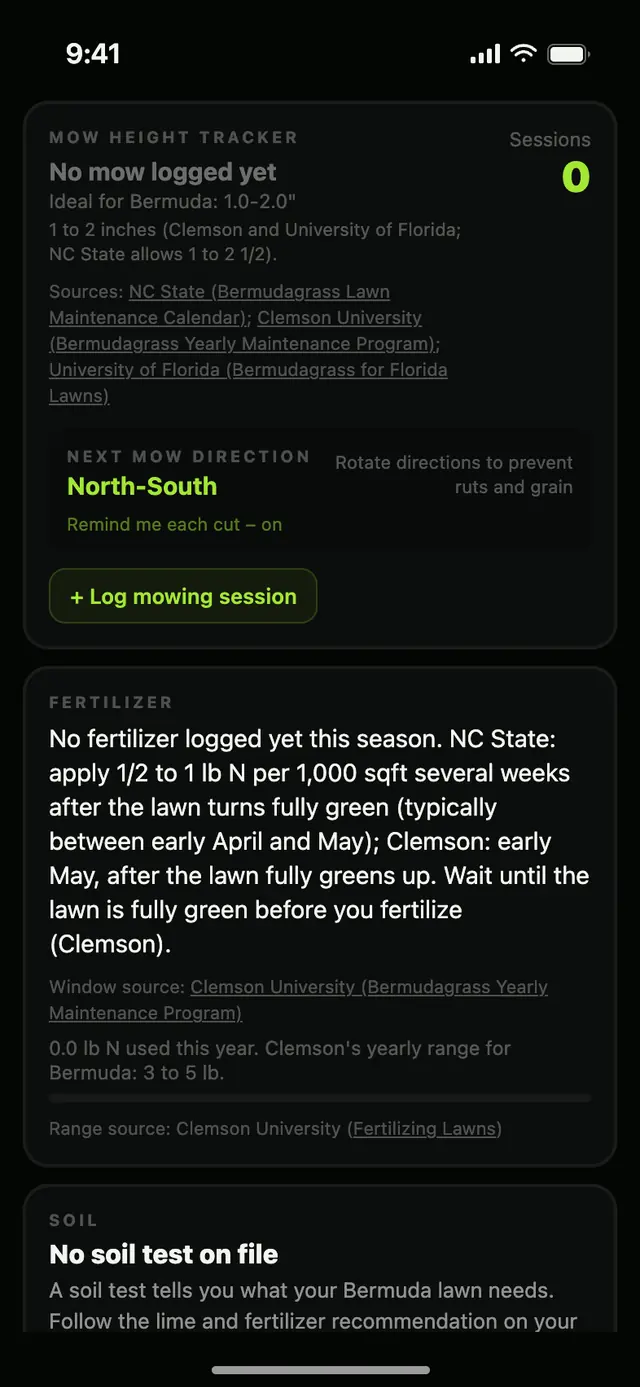
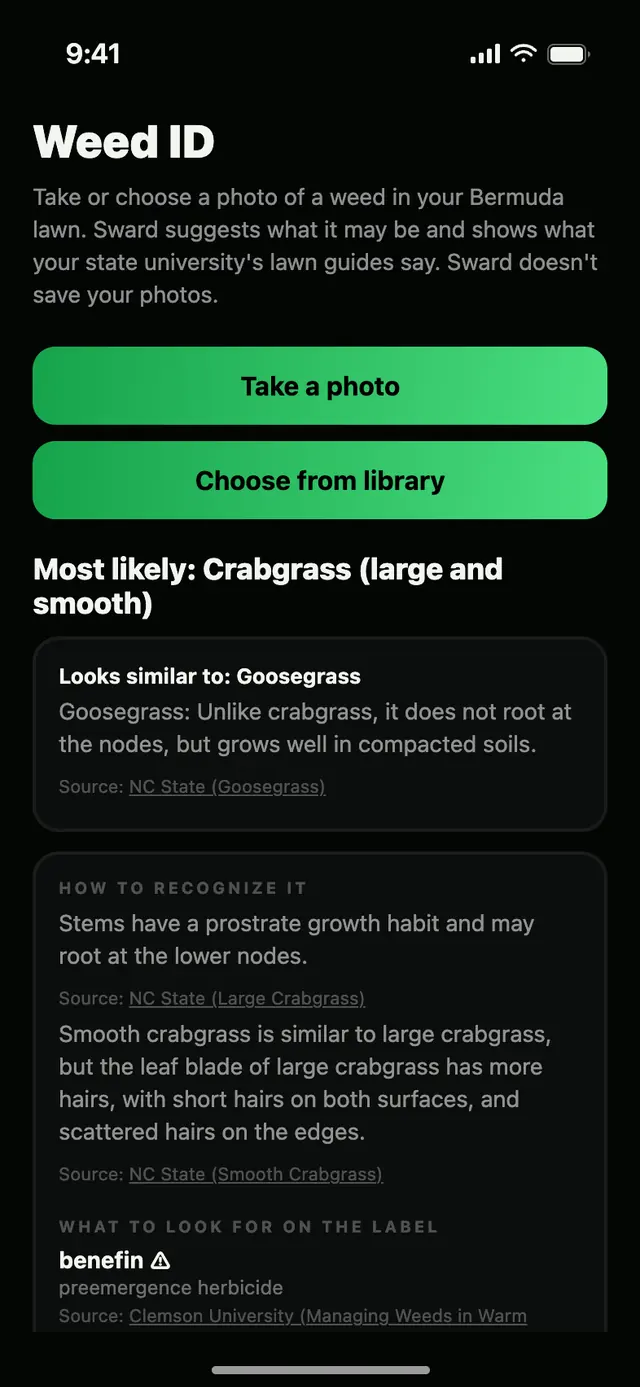
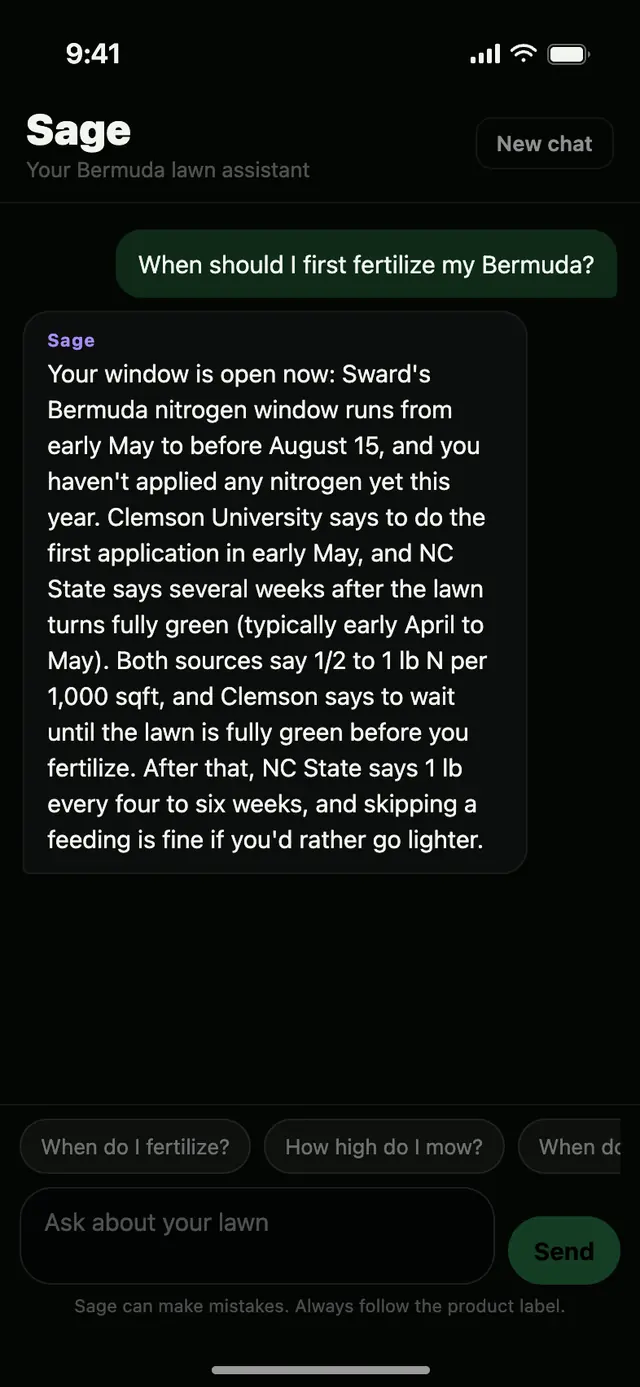
Real screens from Sward. The weed result is an example; the Sage answer is real. N means nitrogen. sqft means square feet.
Sward launches in February 2027.
Get an email when it's ready for your state.
Built state by state. Never generic.
Lawn advice depends on where you live. Sward builds each state from its own university's research, adding a nearby university's guide where it fits your region. In Maryland and Virginia, it also follows the state's lawn-fertilizer law or standards. For example, a tall fescue lawn in Wake County, North Carolina, is told to spread new seed September 1 to 15, while one in Moore County is told September 15 to October 1.
Why Sward
Everything your lawn needs this month.
Check the source behind the advice.
- We start with your state's university. NC State in North Carolina, Clemson University in South Carolina, the University of Georgia in Georgia, Auburn University in Alabama, the University of Florida in Florida, Texas A&M in Texas, Oklahoma State University in Oklahoma, the University of Maryland in Maryland, Virginia Tech in Virginia, the University of Tennessee in Tennessee, the University of Kentucky in Kentucky, LSU in Louisiana, the University of Arkansas in Arkansas, the University of Missouri in Missouri. Where a nearby university's guide fits your region, Sward uses it too and names it.
- Calendar tasks and most cards on Home link to their source page. Tips name their source.
- Sward re-checks the numbers in its source records against the source pages before they reach the app.
- When sources differ, Sward never averages them. If their ranges overlap, it uses the part they agree on. If they don't, it shows what each source says, or follows the guide written for your specific grass. Where a state's lawn-fertilizer law or standards set a limit (Maryland and Virginia), the limit wins.
- When sources are silent, Sward says so. No made-up numbers to fill a gap.
- Products are your call. Sward shows the ingredients the university sources list for your grass and doesn't recommend products. Always read the product label. For more help, ask your state university's lawn office in your county or a local lawn professional.
Sward is not affiliated with or endorsed by any university or university lawn program. Always read and follow the product label.
Questions, answered.
Which states and grasses does Sward cover?
Sward covers North Carolina, South Carolina, Georgia, Alabama, Florida, Texas, Oklahoma, Maryland, Virginia, Tennessee, Kentucky, Louisiana, Arkansas and Missouri at launch, with more states being added. It supports Bermuda, Zoysia, Centipede, St. Augustine, Bahia, Buffalograss, Carpetgrass, Tall Fescue, Kentucky bluegrass, Fine fescue and Perennial ryegrass, plus a blend of tall fescue and Kentucky bluegrass in North Carolina, Virginia, Tennessee, Kentucky, Arkansas and Missouri, and more blends in North Carolina and Missouri, but which of those it offers depends on your region, so use the ZIP box at the top of the page to see yours. If your state or grass isn't covered, Sward says so during setup instead of giving you advice that doesn't fit.
Do I need lawn experience?
No. Sward is built for beginners. You enter your ZIP and grass, and it gives you plain steps for each month, and lawn terms are explained. If you want to know why, its advice shows where it came from.
How is Sage different from a general chatbot?
Sage is Sward's lawn assistant. It answers from the sourced lawn guidance for your state, region and grass, names the source, and says so when it doesn't know instead of guessing. It names active ingredients to look for on a label, never brands. It starts a fresh chat when you change your state, county or grass.
Does Sward sell products?
No. Sward doesn't sell products or recommend brands. It tells you which ingredients to look for on the label, and you choose the brand. Always read and follow the product label.
Are my weed photos saved?
Sward doesn't keep your photos. Your phone shrinks the photo and removes the location and other hidden details. It goes through our server, which doesn't store or log it, to our AI provider, which deletes it within 30 days. Sward only counts how many photos you send, to apply daily and monthly limits.
Can I turn off the AI?
Yes. Sage chat, Weed ID and Let Sage build my program are Sward's AI features, and one switch, Sage AI in the Settings tab, turns all three off together. With it off, Sward makes no AI request and nothing is sent to our AI provider; the Sage tab is hidden, and the rest of Sward keeps working. Even with it on, nothing is sent until you send Sage a message, take or choose a weed photo, or tap Build with Sage. Sage AI is on when you first install Sward.
How do I cancel?
Subscriptions are billed through your Apple account, so you cancel on your iPhone: open Settings, tap your name, then tap Subscriptions. To avoid being charged for the next period, cancel at least 24 hours before your trial or current period ends. New subscribers get a 7-day free trial, which converts to a paid plan automatically unless you cancel first.
Simple pricing. New subscribers get a 7-day free trial.
Available on the App Store in February 2027
New subscribers get a 7-day free trial on either plan. Subscriptions are billed through your Apple account. The trial converts to a paid plan automatically unless you cancel at least 24 hours before it ends. Cancel anytime in your iPhone's Settings, under your name, then Subscriptions.
Join the waitlist